Vendor payments, approved and reconciled in one place
Assemble the batch of payment orders, approve it using your permissions workflow, and Fonder executes it from Fonder Wallet. Each payment is reconciled and recorded in your ERP.
Approval by amount and role
No payment is released without the signatures you defined.
Impact at checkout before paying
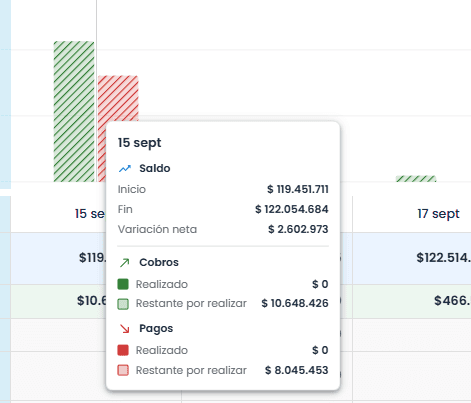
You choose the batch date by looking at your projected cash flow.
Reconciled upon execution
Every payment is recorded in your ERP, leaving no unidentified payments.
Payment types
Every payment, the same circuit
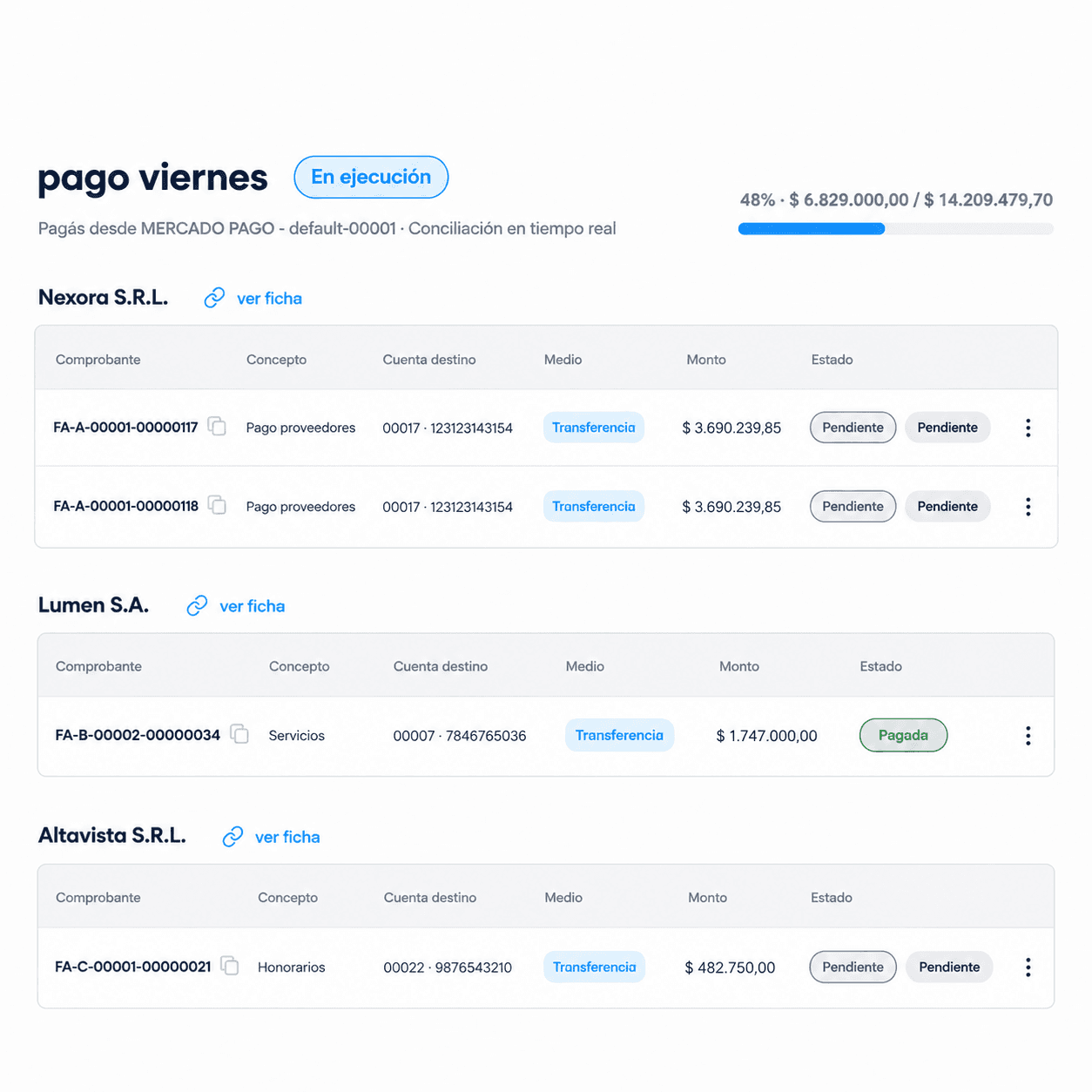
Pay a single invoice or build a batch of payment orders. Invoices come from your ERP with the amount and withholdings already calculated, and all of them follow the same approval, execution, and reconciliation workflow.

Policies
Your rules decide who approves, before the money moves
You define the amounts, payment types, and business names once, along with the approvals required for each. Each payment goes only to the appropriate approver and is not released until all signatures are obtained. A record is kept of who approved and when.
Execution
You decide when to pay and Fonder executes it
You choose the date for each batch by looking at how your projected cash flow looks. When the time comes, Fonder executes the payments from Fonder Wallet, on the same platform where you approved them, without files or manual steps.
Reconciliation happens on its own
Fonder takes care of the payment process that consumes most of your team's hours: reconciling what was sent with your records. As soon as a payment is executed, it is reconciled against its invoice, with the accounting entry generated and the status updated in your ERP, whether it's one payment or hundreds.


How it works
From assembled batch to reconciled payment, in four steps.
Step 1
Define your policies
Amounts, payment types, and business names, along with the approvals required for each.
Step 2
Set up the payment
A one-time payment or a batch of payment orders, along with the invoices and withholdings coming from your ERP.
Step 3
Approve the release
Each payment that requires a signature reaches only the corresponding approver.
Step 4
Run and reconcile
Fonder pays from Fonder Wallet, reconciles each payment, and updates the status in your ERP.
How long does it take for a batch of payments to go out today?
Tell us how you pay your suppliers and we will show you the complete workflow in Fonder, with your ERP and your approval rules.